
Read my latest article: Planet Argon Blog (posted Wed, 17 Feb 2010 15:11:00 GMT)

Switch to Passenger (mod_rails) in development on OSX in less than 7 minutes or your money back!

Posted by Robby Russell Wed, 11 Feb 2009 22:52:00 GMT

31 comments Latest by tiffany wholeslae Wed, 17 Mar 2010 07:05:11 GMT

We recently switched our default builds of Rails Boxcar to leverage the benefits of using Passenger (mod_rails) for deployment of your Ruby on Rails applications and it’s been working out great for our customers. Several of our customers and colleagues mentioned that they also began using Passenger in development, which was intriguing.

But… Mongrel has been working great for us for the past few years. Why switch?

It’s true, I’ve been happily using mongrel since it came out as a replacement to webrick back in early 2006, which makes it about 28 in dog years.
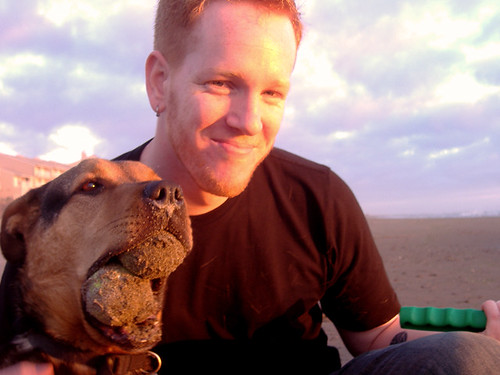
Nigel and I
Nigel and I.. 2 1/2 years ago back when Mongrel was just a puppy

But… over the next few weeks, I’m going to evaluate Passenger in my development workflow. There’s no better way to try something then to jump head first. So… here goes.

locke
this guy was a passenger…and I recently started to watch the show

Our team will be evaluating Passenger in our development work flow with a forthcoming blog post but if you want to get your feet wet right away, here are some instructions for setting up Passenger on OSX with PrefPane, which were inspired by Manfred’s posts.

Installing Passenger via RubyGems

To install Passenger on your OSX machine, just run the following with root credentials.

sudo gem install passenger

This will install the passenger gem on your machine. Now we need to go ahead and run a script that is provided with this gem (also with root credentials).

sudo passenger-install-apache2-module

You’ll want to follow the instructions that appear. When you see something similar to the following output from the command, you’ll want to copy/paste that into an apache configuration file. I just created a file at /etc/apache2/other/passenger.conf.

Edit this file with your editor of choice

mate /etc/apache2/other/passenger.conf

Mine looks like:


  #/etc/apache2/other/passenger.conf

  # Passenger modules and configuration
  LoadModule passenger_module /opt/local/lib/ruby/gems/1.8/gems/passenger-2.0.6/ext/apache2/mod_passenger.so
  PassengerRoot /opt/local/lib/ruby/gems/1.8/gems/passenger-2.0.6
  PassengerRuby /opt/local/bin/ruby

  # Set the default environment to development
  RailsEnv development

  # Which directory do you want Apache to be able to look into for projects?
  <Directory "/Users/robbyrussell/Projects/development">
      Order allow,deny
      Allow from all
  </Directory>

Once you finish running through sudo passenger-install-apache2-module, you’ll need to restart Apache on your workstation. This can be done by simply turning off/on Web Sharing in your Sharing Preference Pane.

Sharing

Alright, we got through the hard part. Now, in order for you to begin using Passenger, we need to setup Apache to point to your individual Ruby on Rails application(s). You can hack on Apache configuration files more, but there is an easier way thanks to the Passenger Preference Pane.

This will manage your VHost files for you!

Setting up Preference Pane

If you followed my post on installing Ruby on Rails via MacPorts, you’re going to need to install Ruby Cocoa, which can be done with the following. If you’re using the Ruby provided from Apple, you can skip this step.

sudo port install rb-cocoa

Once that is done, go ahead and move on and download Passenger Preference Pane. Once downloaded, you can install the preference pane, by double-clicking on the following file.

PassengerPane-1.2

The next part is really simple as well. Just begin to add your various Ruby on Rails projects into the Preference Pane… and when you’re done, you should be able to run your applications over port 80 without any problems.

As you can see, I’ve already setup a handful of projects and we don’t have to start/stop mongrels for each one or worry about port numbers when running multiple projects. (time savings!)

Passenger

Voila. Simple enough. You might need to stop/start Apache, couldn’t remember if I needed to or not.

For each host that you add into this panel, it’ll automatically be added so that you can immediately browse to http://yourhost.local and it should just work. :-)

Things to still figure out…

Debugging. If you’re used to doing --debugger, it appears that you can do something similar with the socket-debugger plugin. Not tried it myself, but worth looking into.

Browser testing via VMWare/Parallels/VirtualBox. Does anybody have any tips on how to best appraoch this? Our designers are curious…

As I mentioned, this is day one of trying it out and managed to motivate our entire design and development team to try it with me so that we can all learn about issues together and find solutions quicker. If you’ve been using this approach for a while, I’d be interested in hearing your story and if there are any issues that we should be aware of.

Subscribe to my RSS feed Enjoying the content? Be sure to subscribe to my RSS feed.
Comments

Leave a response

  1. Avatar
    Jackson Wed, 11 Feb 2009 23:27:23 GMT

    I have the same setup except that I manually setup the vhosts on apache (didn’t even know the Passenger Preference Pane existed).

    I do all of my development under a fictitious .dev top level domain. i.e. project1.dev or project2.dev. To test in other browsers via virtualized windows I just edit the HOSTS file on windows to point the project1.dev to the default route on the shared networking. As long as the Apache config is setup to listen on all IP addresses (which I think is default on OS X) then it should work fine.

    I assume the same would work with the Pref Pane setup.

    One of these days I will get around to trying to set up dyndns or something to eliminate the HOSTS files on both OSes.

  2. Avatar
    rich breton Wed, 11 Feb 2009 23:28:55 GMT

    Fantastic Article, thanks!

    -@richbreton

  3. Avatar
    nathan Wed, 11 Feb 2009 23:42:10 GMT

    ughh… setting up a new vhost for every new site

    yuck

  4. Avatar
    James MacLeod Thu, 12 Feb 2009 00:16:53 GMT

    Re: the testing of sites running through this system I would suggest having a very simple nameserver running on a Bridged Virtual machine.

    It took me 30 minutes to install and setup including the linux install so I’m sure it would be a breeze for you.

    If you want more help tweet me @konkrete

  5. Avatar
    Rick T Thu, 12 Feb 2009 01:39:54 GMT

    Check http://duckpunching.com/passenger-mod_rails-for-development-now-with-debugger for a simple way to use the debugger with passenger. Works like a charm. :)

  6. Avatar
    Les Freeman Thu, 12 Feb 2009 02:21:18 GMT

    Nice article Robby. I made this switch a couple of months back and couldn’t be happier.

    I’ve found Patrick Gibson’s virtualhost.sh script to be really handy when it comes to setting up the virtual host files for apache. It’s a nice little shell script that does all the heavy lifting for you. You can grab it at http://patrickgibson.com/utilities/virtualhost/

  7. Avatar
    Russell Jones Thu, 12 Feb 2009 02:33:13 GMT

    Welcome to Passenger on the mac!

    Passenger Pref Pane is a great asset. And for anyone frequently running sites locally from the fictitious domain.dev or domain.local … instead of constantly editing your hosts file, I HIGHLY recommend checking out this wonderful little utility.

    http://inspirix.wikispaces.com/dnsmasq-on-OSX

    You’ll never have to edit your hosts file again :)

    Give it a shot!

  8. Avatar
    Robby Russell Thu, 12 Feb 2009 02:42:34 GMT Recommend me on Working with Rails

    @nathan:

    “ughh… setting up a new vhost for every new site”

    You’re missing the fact that the Passenger Preference Pane does that for you.

    @Russell:

    “I HIGHLY recommend checking out this wonderful little utility.”

    You might also look at the ghost gem for doing similar stuff easily, which I blogged about recently here.

  9. Avatar
    Mark Coleman Thu, 12 Feb 2009 03:44:46 GMT

    Ah, nice guide :) I will get my stopwatch…

  10. Avatar
    Luigi Montanez Thu, 12 Feb 2009 05:38:03 GMT

    As for accessing the Passenger sites from a virtualized solution, see here:

    http://salesforceonrails.com/2009/accessing-passenger-sites-from-a-windows-vista-instance-in-vmware-fusion

  11. Avatar
    Carlos Thu, 12 Feb 2009 06:27:54 GMT

    Ran into this at the studio and again at home. If you’ve installed Ruby The Robby Way, you might get an error when clicking the Apply button in the Passenger preference pane.

    The error is: http://img.skitch.com/20090212-tp1246a43g2ka8ndjchbcjk8p.jpg

    In your console log, you might see an error that reads: Error -60031 in AuthorizationExecuteWithPrivileges.

    As Robby pointed out earlier this morning to me, the fix is to make a symlink from where Ruby is installed to where the Passenger Pane expects it to be installed.

    NOTE: Before you run the symlink command you should probably remove the Passenger preference pane, done by right-clicking on it and selecting Remove “Passenger” Preference Pane.

    Ruby should be installed in /opt/local/bin/ruby (if you installed it The Robby Way). You can double check by running the command: which ruby.

    To make the symlink, run the command: ln -s /opt/local/bin/ruby /usr/bin/ruby.

    Reinstall the Passenger Preference Pane and try adding a project.

  12. Avatar
    Damien Thu, 12 Feb 2009 08:10:44 GMT

    I do find that passenger is a great platform for production deployments but I don’t see the benefits for developement. Instead of

    $ cd ~/Projects/myprojects; mongrel_rails start

    you must now reconfigure apache every time you add a new project. I’m curious of the advantages of passenger for development.

  13. Avatar
    Luigi Montanez Thu, 12 Feb 2009 13:08:05 GMT

    Damien,

    1) If you use the Passenger Preference Pane, configuration of Apache and the hosts file is a breeze. 2) Your development apps live at their own URL. You’ll have http://myapp.local for one app, and http://anotherapp.local for another. This is especially useful if your app checks the domain or subdomain for some controller logic. 3) Your development apps will always be available at those URLs. No need to script/server them alive. 4) Passenger is being actively developed and improved, Mongrel is not.

  14. Avatar
    Lars Sehested Thu, 12 Feb 2009 15:07:56 GMT

    @Damien:

    1. You add projects to Passenger simply by dragging the root folder from Finder into the Passenger Preference Pane and clicking Apply.

    2. I am working on a project that previously required me to start mongrels for three different sites. Now I do that simply by accessing the “front” site in the browser.

    3. It’s easier to remember to go to frontend.local and backend.local vs. 127.0.0.1:3001 and 127.0.0.1:3002.

    4. If you have an app that needs to have multiple processes running, you don’t need to set that up – you get load balancing and multiple processes for free.

    5. I’ve experienced problems with the browser sending wrong cookies to apps because they were all running on localhost:3000 (I switch between projects quite a lot and was too lazy to run apps on different ports when I didn’t need to).

  15. Avatar
    Chris Gaffney Thu, 12 Feb 2009 16:26:39 GMT

    If you’re going to create a VMWare/Parallels image I really suggest trimming it down as much as possible.

    For example you don’t need wireless config, games, firewall, security pages, most of the server programs, etc… on a virtual image. I have been able to get a single Windows XP image down to ~80M with a minimum number of processes which makes it possible to run a pair of images concurrently (IE6 and IE7). I also suggest turning off swap completely.

    I also have an old laptop set up with a Windows / Linux dual boot that I can control using Synergy. I use Multiple IEs on Windows and IEs 4 Linux but I do any final testing in one of the VMWare images. There are some strange issues that crop up with both where IE6 doesn’t actually function like IE6 (since it’s really just IE6’s rendering engine inside of IE7).

    You can also install IEs 4 Linux using Darwine on OSX but it has it’s own share of issues the last time I tried it.

  16. Avatar
    Jason Fiset Fri, 20 Feb 2009 19:03:24 GMT

    Fantastic article. I can’t believe how easy it was.

    @Damien:

    Another advantage to having Passenger running in development as well as production is that your development environment will now more closely mirror your production environment. From a troubleshooting perspective, it may be easier to diagnose problems than having a mixed environment.

  17. Avatar
    Erik Kastner Sun, 22 Feb 2009 16:52:32 GMT

    I forked the passenger prefpane and added multicast dns support (bonjour). All you need to do is install Bonjour for Windows and then you can visit http://site.local in your virtual machine kastner passenger prefpane on github

  18. Avatar
    tekkub Sat, 11 Apr 2009 23:52:28 GMT

    Man, I can’t thank you enough. I just spent an hour fighting with apache and the other passenger install guides, then trying to undo all that mess. The other guides out there seem to be older than the “now works with mac’s default apache install” fix… sure they have a small note about this, but it should be a BIG BOLD NOTE!

    Anwho, after all that frustration, your guide here got me up and running, and with the added bonus of the prefpane. You rock. The official passenger docs should link to this, not to that other outdated guide.

  19. Avatar
    Kevin Hillabolt Tue, 14 Apr 2009 15:37:02 GMT

    Note that installing rb-cocoa, forced a port install of Ruby due to a dependency. This caused my Rubygems to no longer work properly.

    Received: ruby: No such file to load—ubygems (LoadError)

    To fix, I just aliased ‘ruby’=’/usr/bin/ruby’ in my .bash_profile file and everything started working again.

    Just thought I would pass along…

  20. Avatar
    José Tiburcio Ribeiro Netto Sat, 18 Apr 2009 10:39:19 GMT

    Very cool and productive tip (err… preference pane)!

    I like the fact that you have a single url for an application… And also the fork made by Erik Caster, who gives it DNS multicast support, so you can access from within your local net.

    Thanks Robby!

  21. Avatar
    Joel Greutman Tue, 09 Jun 2009 00:22:45 GMT

    Ok, seriously, I finally got around to installing passenger and the prefpane. HOLY CRAP THIS IS AWESOME. This will make it so much easier to test and produce apps based on subdomains! Thanks so much for the write-up!

  22. Avatar
    Joel Greutman Wed, 10 Jun 2009 20:16:00 GMT

    One question, is there any way to use the prefpane to set this up for a wildcard? I tried the normal *.domain.local, and nothing. Any help would be appreciated.

  23. Avatar
    kajaco Fri, 26 Jun 2009 21:26:28 GMT
    Just got the socket-debugger installed. Workarounds I needed (new-BEE here):
    1. Firewall at work wouldn’t allow git access. Eventually noticed the download button (tar or zip). Extracted to RAILS_ROOT/vendor/plugins and installation is finished.
    2. The server must be restarted at this point (touch tmp/restart.txt from RAILS_ROOT).
    3. Only then will rake debug:socket work.

    Will try using it as I look at a Ruby debug screencast.

  24. Avatar
    Mark McConachie Mon, 03 Aug 2009 21:46:19 GMT

    Thanks, set this up with Erik Kastner’s fork, bonjour for windows in parallels and multi IE

    It’s great. saves alot of time.

    Thanks guys

  25. Avatar
    Tobias Svensson Thu, 03 Sep 2009 20:30:26 GMT

    Nice write up! I found this just in time as I am just starting a Rails project, which will be using sub domains. This could have been quite of a pain with script/server. Anyhow, it took slightly longer than 7 minutes, though ;).

  26. Avatar
    susan Wed, 10 Feb 2010 13:05:50 GMT

    Although wholesale ugg boots made famous by its boots, UGG Australia has extended their product line to include stylish yet elegant clothing for both adults and discount ugg boots kids. UGG Australia has designed a vast collection of gloves, scarves, hats, discount ugg cardy boots and UGG coats that will wrap you in warmth against the cold winter months.

  27. Avatar
    www Wed, 10 Mar 2010 09:16:03 GMT
  28. Avatar
    Vinyl Siding Contractors Mon, 15 Mar 2010 09:02:21 GMT

    The city commission gave its support to proposed state legislation allowing … Pierre is one of many class 1 cities and smaller communities to show its support

  29. Avatar
    SEO Blog Mon, 15 Mar 2010 19:41:04 GMT

    This was really awesome invention again.

  30. Avatar
    Ryan Wed, 17 Mar 2010 04:14:03 GMT

    Nice article. Have you tried installing Passenger and the apache2 module on a rails 3 and ruby 1.9.1 install? I am getting ruby compile errors when I try installing the module.

  31. Avatar
    tiffany wholeslae Wed, 17 Mar 2010 07:05:11 GMT

    so awesome

Share your thoughts... (really...I want to hear them)

Comments