
Recent Posts - Page 8

Email. Twice daily. No more, no less.

June 10, 2009

On a recent trip to Las Vegas, I picked up The Four Hour Workweek for my Amazon Kindle to read on my flight. When I came back from my short vacation, I decided that I was going to change how I approach email on a daily basis. In my position, I receive a lot of business-related emails on a daily basis, whether that be from employees, clients, or potential clients. A typical day would consist of me trying to get a few tasks done while keeping an eye on any new requests. This resulted in a lot of context-switching and my days were extremely fragmented. Our team had started an experiment where we’d track all of our time throughout the day on printout. Our goal was to log all of our start/stop times for each activity and also capture each interruption within those time windows. After just a few days of doing this, I was noticing how much time was being spent on emails each day. I also noticed that it was rare to have a full hour of uninterrupted work on a single activity. Aside from distractions that you’d typically find in an office environment, email was keeping me from attaining the level of focus that I was seeking on my work.

So, using some motivation from The Four Hour Workweek[^1^](#fn1){#fnref1 .footnote-ref role=”doc-noteref”}, I opted to come back to the studio and change my behavior. That morning, I emailed my entire team and my clients to let them know that I would only be checking my email at 10am and 4pm each day. I explained that they could call me at the studio if there was something that needed my urgent attention. Admittedly, I was nervous as I hit send. What was I getting myself into? What were my clients going to think? Would they think that I’m just an unorganized mess?

Three weeks later…? It was one of the best emails that I’ve sent in ages.

The Results… (so far)

Here are a few realizations and conclusions that I’ve been able to attribute to this change.

My World Didn’t Collapse

Before I made this decision, I came up with a lot of excuses for why this was a bad idea.

  • I might not respond fast enough to a new sales lead
  • A client might forget and send me an urgent request via email
  • Insert any other reason related to you just not following up quick enough…

In three weeks, none of these things has bitten me in the ass. It hasn’t been perfect, but I don’t believe that it’s had any significant impact that outweighed the benefits.

Less Time Spent on Emails

I spend less time on email than I did before. Why? I don’t treat email the same way that I used to. As a result of approaching email differently, I noticed that I am now more likely to keep my emails short and sweet… and most importantly, to the point. One of the great things about Gmail is that it’s made it easy to have conversation-style emails with people, but it’s also made it too easy to have conversations with people. I now realize that so many conversations that I would participate via email would entail single sentence questions/responses with similar length follow-ups. Each time you come back to that email, your attention is on that conversation and those can eat up a lot of time if you’re not careful.

So, now that I’m checking email twice a day, I tend to write only what is necessary to move the conversation forward until the next time I check my email. As a result, email conversations are slower now, but they aren’t taking as much of my time. The benefits have outweighed the negatives.

More Focus Time

Since this change, there has been a handful of days where I have been able to focus completely on a single activity (task) for over a hour at a time. My record was nearly three hours one morning early last week. Unfortunately, I completed the task I had budgeted five hours for was finished in less than three. ;-)

I’m able to do this more now because I’ve been able to release my check-your-email-again-just-to-be-safe demons. I’ve been able to trust my system and I’ll share some tips on how I eased myself into this.

More focus time has allowed me to spend less time working on individual tasks because they are subjected to nearly as much context-switching.

More Creative Time

Another benefit that I’ve seen since this change is that with this time that I’ve salvaged, I find myself with more time to be creative. I haven’t pinpointed what the reason behind this is, but I do feel like I’ve been more creative the past few weeks than I have been for the several months prior. Perhaps it’s just a side-effect to altering my workday… or that I don’t feel like a victim to the INBOX… or that it’s been extremely sunny in Portland… or that I’m more aware of how I’m spending my day.

Whatever it was, it started within days after I implemented this new approach to managing email. I’m happy to attribute it to this for the time being. ;-)

How I Did It

Here are a few things that I did to start this process. Credit is due to Tim Ferris for suggesting most of these and here are some of my further thoughts.

List Your Excuses

Chances are, you don’t have as many as you think you do. I started with the critical ones and really weighed the pros/cons. It’s safe to use the, “Will anybody die if I do this?” question to help you respond to each of these. You can be a little less cynical and ask yourself, “Will we go out of business if I do this?”… or “Will we lose client X if I do this?”

Then ask yourself, “Is it unreasonable for me to do this?” If the answer to, “will we lose client X if I do this?” and this don’t match up, you might want to re-evaluating your client roster. If your clients are reasonable people, they’ll see that there is value in this that will benefit both parties. As I mentioned, just remind them that they can call you if there an urgent request. If they abuse this, straighten them out or it’s time to re-evaluate your client roster.

It’s not unreasonable to protect your time as much as possible, despite how much they pay you.

Set a Time (use a calendar reminder)

You can’t just say, “I’m only going to check my email twice a day.” There isn’t any way that I would have been able to honor such a commitment. “When exactly?,” is the obvious response to that.

::: thumbnail planet argon -
Calendar :::

I set a scheduled event on my calendar that happens everyday at 10am and 4pm. I have a 15 minute notice on that event so that I’m reminded that it’s time to wrap up what I’m working on. When I have a conflicting meeting, I will just reschedule my email for another time of the day. The time is visible to all of my teammates and my clients know when I’ll be catching up on email.

Why did I chose 10am and 4pm? Well, I start my day at the studio at 7am. This allows me to have up to three hours of time to focus on getting other things done before tackling email. Why 4pm? This is a hour or so before I leave for the day. Email isn’t the first or the last thing on my mind at each ends of my workday.

Communicate the Change

This will not work if you don’t set peoples expectations. If people are accustomed to you being extremely quick to respond to emails and you change your behavior all of a sudden, you’re going to freak them out. Let them know what you’re doing, why you’re doing it, and you might even encourage them to consider it too. More often than not, everyone you work with is feeling overwhelmed and wants more control over their day. Send them a link to this post. ;-)

It all comes back to managing their expectations.

Quit Your Email application

Seriously, quit that application when you’re not using it. In fact, quit any program that is open when it’s not related to the activity that you’re focused on. For email, we use Gmail for domains and I run it through Fluid. This means that at 10am and 4pm, I launch the Fluid app and start working my way through emails. Once I get through my inbox and finish what I need to handle right now, I quit it.

Also… disable email notifications. They aren’t worth it.

Inbox Zero

I’ve been practicing the habit of keeping my INBOX empty for nearly a year. Everything gets labelled, organized, and archived properly once I open up each email. Some stuff gets sent to Highrise to respond to later while some emails get an immediate response.

One of my favorite things about maintaining Inbox Zero and checking my email twice daily is that when I open up my email client, I’m faced with a list of nothing but unread emails. Since I know they’re all unread, I can start at the oldest and move my way through them, one by one. When I get to the end of that list, I’m almost done. I then fire up Highrise to see if there is anybody to get back to today. If so, I fire off those emails and close off those tasks. Once I have both lists completed, I’m done.

No Cheating

The one thing that I’m working on the hardest right now is not cheating. I’ve caught myself a few times. I’m waiting in line at the coffee shop and I pull out my iPhone. Out of habit, I launch the Mail.app and find myself looking at incoming emails. You might argue that if you’re not in the middle of something, it’s a good way to feel useful, but I’m sure that there are other things you can be tackling. Your email will be there at 10am… I promise.

The biggest problem with cheating is that if you see that someone responded to something you sent in your previous email, it’ll force you to make a decision. a) do you look now? or b) look later? If you choose b, your brain is going to be wondering what she said. It’s can really bug you for a few hours. Trust me. :-)

In Summary..

It’s only been three weeks since I adopted this and I know it’s far from perfect. However, I assure you… it’s been worth the self-proclaimed risks. I enjoy my email time more than I used to. As I mentioned earlier, I like being presented with a healthy list of unread emails to work my way through. Sometimes it takes only five minutes to get through them all, sometimes a hour or more if I have a lot of people to follow up with.

It’s been a fun ride so far and I’m sure that there are many more challenges ahead, but I am planning to stay on course. Who knows, maybe I can move to once daily after a few months?


  1. ::: {#fn1} How to Check E-mail Twice a Day… or Once Every 10 Days↩︎{.footnote-back role=”doc-backlink”} :::
What can we do right now?

June 03, 2009

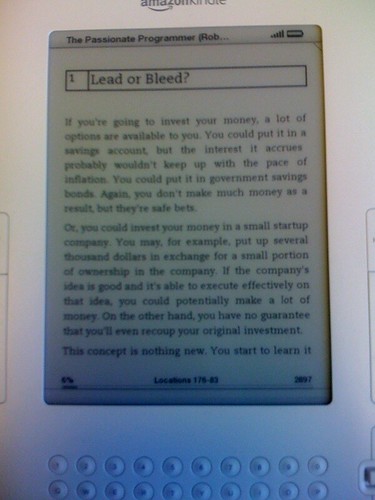
Last month I picked up a new kindle from Amazon and have been reading a handful of books. One book that I’ve been really impressed with is Chad Fowler’s new book, The Passionate Programmer.

Passionate
Programmer

I plan to post some more thoughts in upcoming articles, but wanted to share this gem.

“If you treat your projects like a race, you’ll get to the end a lot faster than if you treat them like a prison cell. Create movement. Be the one who pushes. Don’t get comfortable. Always be the one to ask, “But what can we do right now?””

- Chad Fowler, The Passionate Programmer

Sometimes we feel stuck, but that doesn’t stop us from stepping to the side and assessing the situation. There is always something useful that we could be doing right now.

Hello, HeyBrainstormr.com

June 03, 2009

If you follow me on twitter, you might have heard that we launched a little project that we’ve been cooking up at Planet Argon. (news post)

HeyBrainstormr is a lightweight web application that we created so that we could start a brainstorm on a specific topic and solicit ideas from each other. That’s all it does. Nothing more. Nothing less.

We know that having an open brainstorming session requires there to be zero criticism and opted to keep the process anonymous so that even the quiet people could share their ideas. :-)

::: thumbnail what can i do right now? : Brainstorming for the rest of us. :
HeyBrainstormr :::

We’ll be posting more details about it on our blog in the near future, but wanted to invite all of my readers to give it a whirl.

I have a few topics that I started (and tweeted about). Feel free to share your ideas on them. :-)

We hope that you find it as fun as we have.

82,520 minutes on Phusion Passenger

April 10, 2009

It’s been over 83,520 minutes since I made the switch from using mongrel as my development environment web server to Phusion Passenger. I’ve been extremely impressed with it. Our team has all switched over and haven’t really hit any obstacles in the transition.

Since some people asked me to let them know how this trial period worked out, I felt it was my duty to encourage you all to try it. You can check out my previous post, Switch to Passenger (mod_rails) in development on OSX in less than 7 minutes or your money back! to get rolling.

Additionally, if you’re looking for a streamlined Ruby on Rails deployment environment that includes Passenger, check out Rails Boxcar.

Building a prototype? Bring some rope.

April 09, 2009

While scanning through Allison’s copy of Designing for the Digital Age: How to Create Human-Centered Products and Services, I came across this nugget.

The problem with software prototypes

It seems to be widely understood that industrial design and mechanical engineering prototypes—from paperclips and tape to polished appearance models—are disposable learning tools. Prototyping is clearly distinct from manufacturing, so it would be ludicrous to think that even a late-stage prototype could be reused as part of the final product. In software, however, the tools used for anything other than paper prototyping are generally the same tools used for “manufacturing” (i.e., writing production code). For this reason, many stakeholders can’t see why a detailed prototype that appears functional is still many months away from completion.

It immediately reminded me of a few posts that I had written about three years ago on the topic of developing prototypes and NOT keeping them.

The author continues with…

It’s important to educate stakeholders that prototype code is kind of like the illusion of automatic doors on Star Trek—it looks like it’s working, but it’s really a guy standing behind the wall pulling a rope.

I completely agree that education is the most important aspect to managing client expectations. With regard to the amount of work that you put into a prototype, we need to be careful on how much time and energy is put into them. If we can get away with a guy (or some quick Javascript hacks) to demonstrate possible functionality, make sure we aren’t using much more than rope. Rope is cheap. Prototypes should be too.

20 articles on Cucumber and a free beverage recipe!

April 09, 2009

Cucumber has been getting quite a bit of attention in the community and with the new RSpec Book on nearing publication, I predict that by this time next year, it’ll become a household word like boanthropy.

What is Cucumber?

The Cucumber project describes itself as a suite that, “lets software development teams describe how software should behave in plain text. The text is written in a business-readable domain-specific language and serves as documentation, automated tests and development-aid - all rolled into one format.”

One of the great things about Cucumber is that it can be used to test applications in any language. I haven’t been able to track down a lot of articles of how people are using it with other languages, so please comment if you’re aware of some.

In any event, I’ve been collecting and reading resources from a variety of Cucumber aficionados and thought I’d share some links with you. To round it out, I asked on twitter for some others so that I could hit twenty. :-)

  1. What’s in a Story?, Dan North
  2. Telling a good story - Rspec stories from the trenches, Joseph Wilk
  3. Beginning with Cucumber, Ryan Bates (Railscasts)
  4. Using RSpec, Cucumber and User stories to build our internal systems, Rahoul Baruah
  5. Cucumber: The Latest in Ruby Testing, Ruby Inside
  6. Using Cucumber for Acceptance Testing, Noel Rappin
  7. Behavior Driven Development with Cucumber, Brandon Keepers (presentation/slides)
  8. Testing capistrano recipes with cucumber, Jeff Dean
  9. Using Cucumber to Integrate Distributed Systems and Test Messaging, Ben Mabey
  10. Tutorial: How to install/setup Cucumber, Alan Mitchell
  11. Testing outbound emails with Cucumber, Dr. Nic Willians
  12. Proper Cucumber Sintatra Driving, Chris Strom
  13. On getting started using Cucumber for .NET
  14. DRY up your Cucumber Steps, Matt Wynne
  15. Cucumber, Celerity, & FireWatir, Aidy Lewis (presentation/video)
  16. Cucumber step definition tip: Stubbing time, Bryan Helmkamp
  17. Story Driven Development Recipes with Cucumber, Sebastien Auvray
  18. Testing Facebook with Cucumber, Brandon Keepers
  19. Testing with the help of machinist, forgery, cucumber, webrat and rspec, Etienne van Tonder
  20. Integration testing SSL with Cucumber
  21. Continuous Integration Blueprints: How to Build an Army of Killer Robots With Hudson and Cucumber

So.. there you have it. Please post comments with links to any useful articles not mentioned and I’ll try to keep the list updated.

Also, be sure to check out the list of tutorials and related blog posts on the cucumber wiki (github).

FREE RECIPE: Cucumber Water

{style=”float:right;”}
And now…for the reason you are all here! If you like cucumbers (eating them)… I would highly recommend heading to your local farmers market and purchasing some cucumbers. Aside from being healthy to eat… they can help make a tasty beverage.

Then do the following…

  • Chop several slices of a cucumber
  • Fill a pitcher with cold water and ice
  • Toss in slices of cucumber
  • Stir and leave in fridge for a while
  • Take out of fridge, pour into cup…
  • Drink… hack… and enjoy

Be sure to check out, How to Make Cucumber Water on wikihow for details.

Happy Hacking!

HTTParty goes foreign

March 16, 2009

Just a quick post to get share something I was tinkering with this evening.

I came across this post by Gerald Bauer, which shows you how to use the Google Translation API with Ruby via Net::HTTP. I thought I’d play with the service with HTTParty.

class GoogleApi
  include HTTParty
  base_uri 'ajax.googleapis.com'

  def self.translate(string="", to="", from="en")
    get("/ajax/services/language/translate", :query => {:langpair => "#{from}|#{to}", :q => string, :v => 1.0})
  end
end

A few examples from playing with it.

>> GoogleApi.translate('bonjour', 'en', 'fr')
=> "{\"responseData\": {\"translatedText\":\"hello\"}, \"responseDetails\": null, \"responseStatus\": 200}"

>> GoogleApi.translate('Red wine', 'fr')
=> "{\"responseData\": {\"translatedText\":\"Vin rouge\",\"detectedSourceLanguage\":\"en\"}, \"responseDetails\": null, \"responseStatus\": 200}"

>> GoogleApi.translate('Where is the bathroom?', 'es')
=> "{\"responseData\": {\"translatedText\":\"\302\277D\303\263nde est\303\241 el ba\303\261o?\",\"detectedSourceLanguage\":\"en\"}, \"responseDetails\": null, \"responseStatus\": 200}"

>> GoogleApi.translate('Good morning', 'it')
=> "{\"responseData\": {\"translatedText\":\"Buon giorno\",\"detectedSourceLanguage\":\"en\"}, \"responseDetails\": null, \"responseStatus\": 200}"

What a party!

>> GoogleApi.translate('party', 'it')
=> "{\"responseData\": {\"translatedText\":\"festa\",\"detectedSourceLanguage\":\"en\"}, \"responseDetails\": null, \"responseStatus\": 200}"
>> GoogleApi.translate('party', 'es')
=> "{\"responseData\": {\"translatedText\":\"fiesta\",\"detectedSourceLanguage\":\"en\"}, \"responseDetails\": null, \"responseStatus\": 200}"

Look how easy that was. :-)

For a previous post on using this gem, read The HTTParty has just begun.

Git commit-msg for Lighthouse tickets

February 16, 2009

A quick follow-up to a post from a few months ago on how our team has a naming convention for git branches when we’re working on Lighthouse tickets (read previous post).

I’ve just put together a quick git hook for commit-msg, which will automatically amend the commit message with the current ticket number when you’re following the branch naming conventions described here.

Just toss this gist into .git/hooks/commit-msg.

```
  #!/bin/sh

  #
  # Will append the current Lighthouse ticket number to the commit message automatically
  # when you use the LH_* branch naming convention.
  #
  # Drop into .git/hooks/commit-msg
  # chmod +x .git/hooks/commit-msg

  exec < /dev/tty

  commit_message=$1
  ref=$(git symbolic-ref HEAD 2> /dev/null) || return
  branch=${ref#refs/heads/}

  if [[ $branch =~ LH_(.*) ]]
  then
  lighthouse_ticket=${BASH_REMATCH[1]}

    echo "What is the state of ticket #${lighthouse_ticket}? "
    echo "(o)pen "
    echo "(h)old"
    echo "(r)esolved"
    echo "Enter the current state for #${lighthouse_ticket}: (o)"

    state="open"

    read state_selection

    case $state_selection in
      "o" )
        state="open"
        ;;
      "h" )
        state="hold"
        ;;
      "r" )
        state="resolved"
        ;;
    esac
  echo >&2 "[#${lighthouse_ticket} state:${state}]" >> "$1"
    exit 0
  fi
```

Then a quick example of how this works…

```
  âžś  bin git:(LH_9912 â™» ) git ci -m "another test"
  What is the state of this ticket? 
  (o)pen 
  (h)old
  (r)esolved
  Enter the current state: (o)
  h
  Created commit 1ed2713: another test
   1 files changed, 3 insertions(+), 1 deletions(-)
```

Now to see this in action… (screenshot)

::: thumbnail git message
hook :::

Then we’ll check out the git log really quick.

```
âžś  bin git:(LH_9912) git log
commit 1ed271323c4a054fe56e76bddc9ac81d241a1032
Author: Robby Russell <robby@planetargon.com>
Date:   Mon Feb 16 12:06:33 2009 -0800

    another test
    [#9912 state:hold]
```

Thanks to Andy for helping me figure out how to read user input during a git hook.

On shells

February 13, 2009

Zsh versus Bash. Fight!

::: thumbnail OH in developer
channel :::

…because we need another religious war in the developer community. ;-)

(skitch via Gary)

Switch to Passenger (mod_rails) in development on OSX in less than 7 minutes or your money back!

February 11, 2009

We recently switched our default builds of Rails Boxcar to leverage the benefits of using Passenger (mod_rails) for deployment of your Ruby on Rails applications and it’s been working out great for our customers. Several of our customers and colleagues mentioned that they also began using Passenger in development, which was intriguing.

But… Mongrel has been working great for us for the past few years. Why switch?

It’s true, I’ve been happily using mongrel since it came out as a replacement to webrick back in early 2006, which makes it about 28 in dog years.

Nigel and
I
[Nigel and I.. 2 1/2 years ago back when Mongrel was just a puppy]{.small}

But… over the next few weeks, I’m going to evaluate Passenger in my development workflow. There’s no better way to try something then to jump head first. So… here goes.

::: thumbnail locke
[this guy was a passenger…and I recently started to watch the show]{.small} :::

Our team will be evaluating Passenger in our development work flow with a forthcoming blog post but if you want to get your feet wet right away, here are some instructions for setting up Passenger on OSX with PrefPane, which were inspired by Manfred’s posts.

Installing Passenger via RubyGems

To install Passenger on your OSX machine, just run the following with root credentials.

sudo gem install passenger

This will install the passenger gem on your machine. Now we need to go ahead and run a script that is provided with this gem (also with root credentials).

sudo passenger-install-apache2-module

You’ll want to follow the instructions that appear. When you see something similar to the following output from the command, you’ll want to copy/paste that into an apache configuration file. I just created a file at /etc/apache2/other/passenger.conf.

Edit this file with your editor of choice

mate /etc/apache2/other/passenger.conf

Mine looks like:

```
  #/etc/apache2/other/passenger.conf

  # Passenger modules and configuration
  LoadModule passenger_module /opt/local/lib/ruby/gems/1.8/gems/passenger-2.0.6/ext/apache2/mod_passenger.so
  PassengerRoot /opt/local/lib/ruby/gems/1.8/gems/passenger-2.0.6
  PassengerRuby /opt/local/bin/ruby

  # Set the default environment to development
  RailsEnv development

  # Which directory do you want Apache to be able to look into for projects?
  <Directory "/Users/robbyrussell/Projects/development">
      Order allow,deny
      Allow from all
  </Directory>
```

Once you finish running through sudo passenger-install-apache2-module, you’ll need to restart Apache on your workstation. This can be done by simply turning off/on Web Sharing in your Sharing Preference Pane.

::: thumbnail Sharing :::

Alright, we got through the hard part. Now, in order for you to begin using Passenger, we need to setup Apache to point to your individual Ruby on Rails application(s). You can hack on Apache configuration files more, but there is an easier way thanks to the Passenger Preference Pane.

This will manage your VHost files for you!

Setting up Preference Pane

If you followed my post on installing Ruby on Rails via MacPorts, you’re going to need to install Ruby Cocoa, which can be done with the following. If you’re using the Ruby provided from Apple, you can skip this step.

sudo port install rb-cocoa

Once that is done, go ahead and move on and download Passenger Preference Pane. Once downloaded, you can install the preference pane, by double-clicking on the following file.

::: thumbnail PassengerPane-1.2 :::

The next part is really simple as well. Just begin to add your various Ruby on Rails projects into the Preference Pane… and when you’re done, you should be able to run your applications over port 80 without any problems.

As you can see, I’ve already setup a handful of projects and we don’t have to start/stop mongrels for each one or worry about port numbers when running multiple projects. (time savings!)

::: thumbnail Passenger :::

Voila. Simple enough. You might need to stop/start Apache, couldn’t remember if I needed to or not.

For each host that you add into this panel, it’ll automatically be added so that you can immediately browse to http://yourhost.local and it should just work. :-)

Things to still figure out…

Debugging. If you’re used to doing --debugger, it appears that you can do something similar with the socket-debugger plugin. Not tried it myself, but worth looking into.

Browser testing via VMWare/Parallels/VirtualBox. Does anybody have any tips on how to best appraoch this? Our designers are curious…

As I mentioned, this is day one of trying it out and managed to motivate our entire design and development team to try it with me so that we can all learn about issues together and find solutions quicker. If you’ve been using this approach for a while, I’d be interested in hearing your story and if there are any issues that we should be aware of.